
Platform Overview
Sendrin notification and OTP APIs for email, SMS, WhatsApp, webhooks, and in-app integrations.
Welcome to Sendrin
Sendrin provides notification and OTP APIs for application developers. Configure your delivery channels, publish event templates, and inspect delivery attempts from the console.
Use the API quickstart for an email OTP send-and-verify flow, or use the API reference to integrate event-based notifications.
Architecture at a Glance
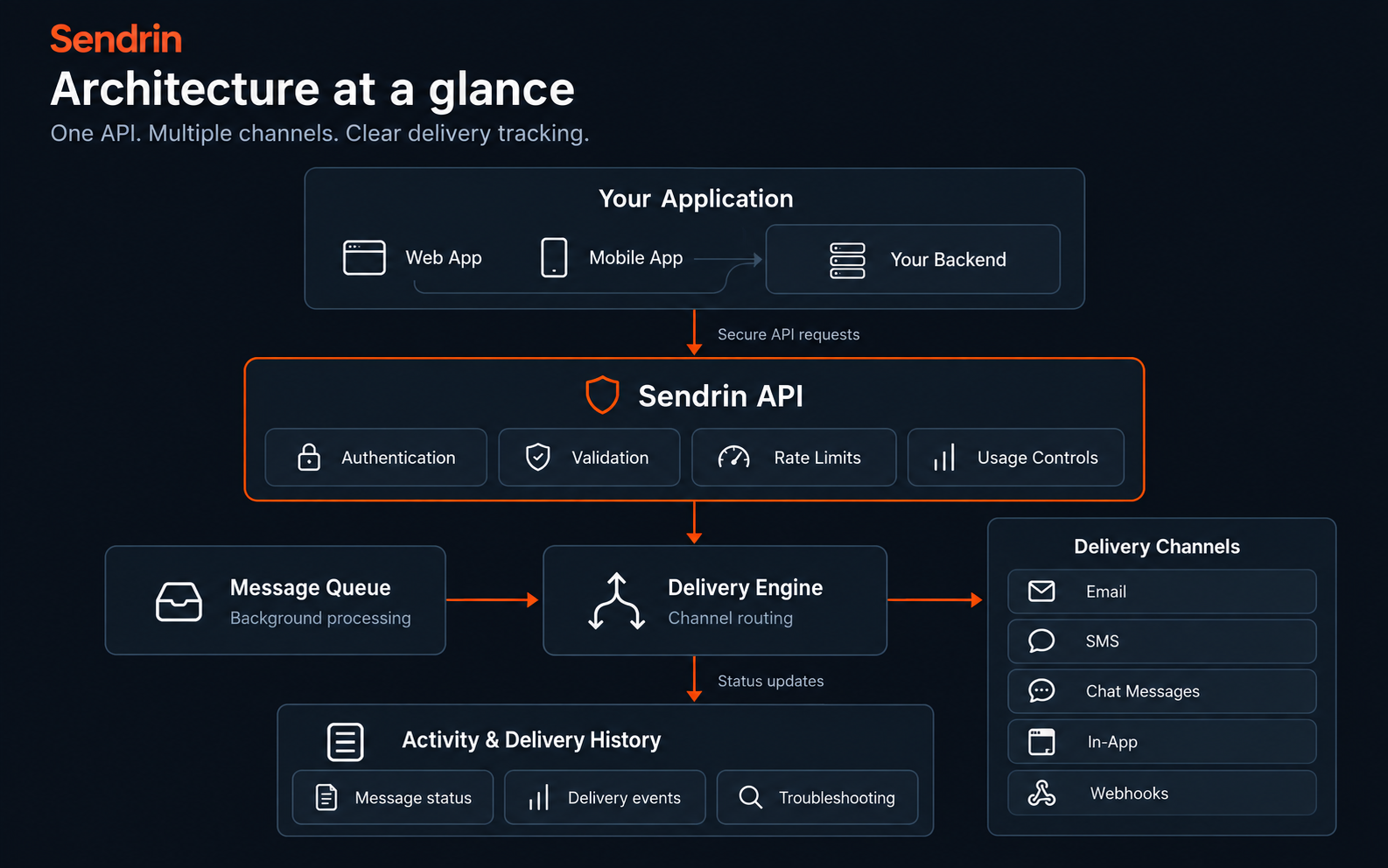
Notification channels
- Email: Send published email templates through a configured SMTP provider. Verify your sending domain and follow the provider setup requirements; Sendrin-managed email requires administrator approval.
- OTP: Generate numeric codes of 4–8 digits, or supply a custom code of 4–16 letters, numbers, hyphens, or underscores with the
otp:custom_codepermission. Choose email, SMS, or WhatsApp explicitly. Expiry, verification attempt limits, resend cooldowns, and send quotas apply. - In-app inbox: Integrate an authenticated REST notification feed and Server-Sent Events stream, with read state and unread counts.
- SMS: Configure a supported SMS provider and send to recipients in E.164 format using published templates.
- WhatsApp: Connect a Meta business number, configure an approved template, and record recipient consent before sending.
- Outbound webhooks: Send signed requests to public HTTPS endpoints. Receivers must verify signatures and handle retries idempotently.
Before your first request
Create an application and keep its API key on your backend. For general notifications, register an event key and data schema, publish a template for the requested channel, and configure the provider. The dedicated OTP endpoints have their own channel setup described in the OTP guide.
A 202 Accepted notification response means the request has been recorded for processing; it does not establish delivery to a recipient. Use delivery activity to inspect attempts and investigate failures.
Plans and usage
Available channels and usage are subject to your workspace plan, quotas, and provider setup. Check the billing and quotas guide and your console for current allowances. Provider charges may apply separately.
Ready to build?
Follow the API quickstart, then read the relevant channel guide before integrating with your application.